Getting Started
This tutorial demonstrates the basic usage of the simulator.
Initialization
You always start by initializing the simulator.
ats = AlongTrackSimulator();
The simulator has a list satellite altimetry missions, found by calling ats.missions(), of which there are 8 operating as of this writing,
ats.currentMissions()
ans = 8x1 string array

"alg"
"c2n"
"h2b"
"j3n"
"s3a"
"s3b"
"s6a"
"swon"
The mission codes correspond to entries in the missionParameters dictionary, which can be accessed directly, or quickly summarized,
ats.summarizeMissionWithName(ats.currentMissions)
                       Name                       Abbreviation            Start              End     RepeatCycle
    __________________________________________    ____________    ______________________    _____    ___________

    "Saral/AltiKa drifting (geodetic) orbit"         "alg"        "31-Mar-2015 22:53:34"    "Inf"     "Inf"
    "Cryosat-2 new orbit"                            "c2n"        "01-Aug-2020 10:56:11"    "Inf"     "Inf"
    "HaiYang-2B 14-day cycle"                        "h2b"        "20-Dec-2019 21:44:06"    "Inf"     "13.9998"
    "Jason-3 Interleaved Orbit"                      "j3n"        "28-Feb-2021 23:14:50"    "Inf"     "9.9156"
    "Sentinel-3A"                                    "s3a"        "01-Mar-2016 14:39:51"    "Inf"     "27.0001"
    "Sentinel-3B"                                    "s3b"        "26-Nov-2018 23:42:07"    "Inf"     "27.0001"
    "Sentinel-6 Michael Freilich 10-day cycle"       "s6a"        "09-Feb-2022 23:13:23"    "Inf"     "9.9156"
    "SWOT 21-day cycle"                              "swon"       "21-Jul-2023"             "Inf"     "20.8646"
Ground tracks
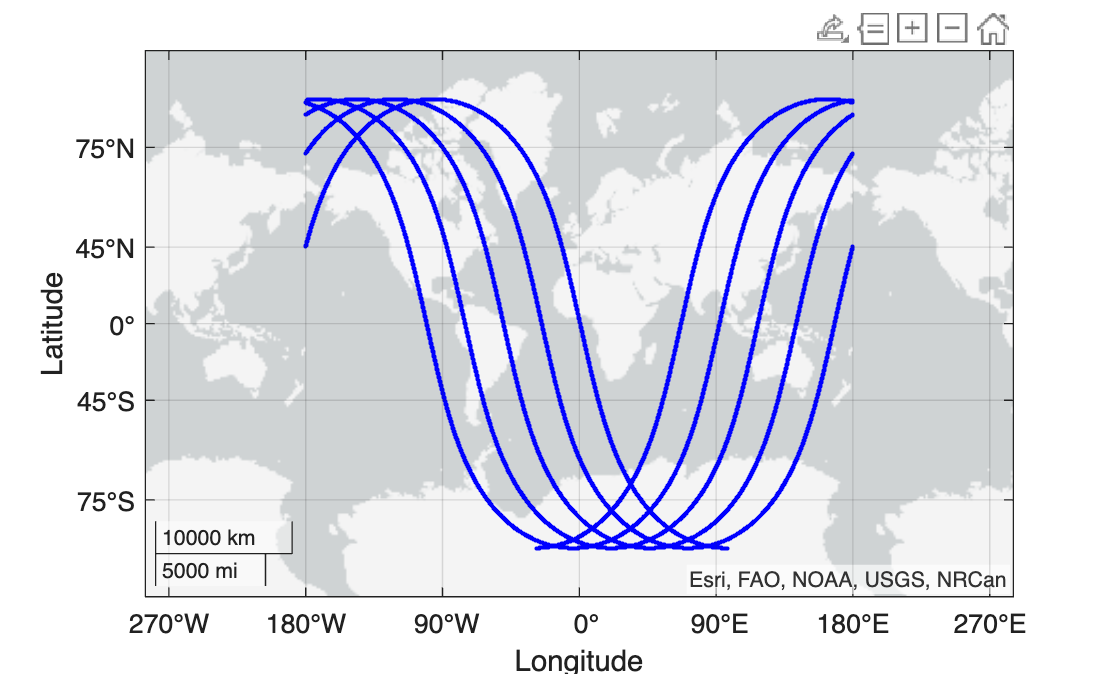
You can now query for the ground tracks for any given mission using groundTrackForMissionWithName. You can request specific times, or just a certain number of orbits from the start date,
[lat,lon,time] = ats.groundTrackForMissionWithName("s3a",N_orbits=5);
figure, geoscatter(lat,lon,1.5^2,"blue","filled")
Some missions have exact repeat orbits, e.g. the 27 day repeat cycle of Sentinal-3A, and thus it is convenient to fetch one complete cycle. You can use [lat,lon,time] = repeatGroundTrackForMissionWithName(mission) to do this for any of the missions with repeat cycle.